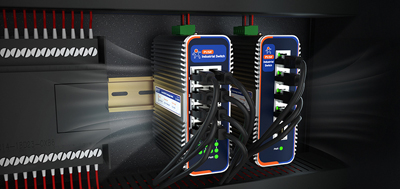
Emergency Recovery Mode Operation Guide for Failed Firmware Upgrades on Cellular WiFi Router
In the context of the Industrial Internet of Things (IIoT), firmware upgrades are critical for ensuring device performance, fixing vulnerabilities, and enhancing security. However, cases of devices being "bricked" due to failed upgrades are not uncommon, often resulting from factors such as mismatched firmware versions, interrupted transmissions, power abnormalities, or unstable Flash devices. For instance, an energy company once experienced a collective shutdown of 30 cellular WiFi router due to an interrupted firmware upgrade, halting production lines for six hours and incurring direct economic losses exceeding one million yuan. This article will systematically analyze emergency recovery methods for failed firmware upgrades on cellular WiFi router, drawing on real-world cases and technical principles, and recommend the USR-G809s cellular WiFi router, which is well-suited for high-reliability scenarios, to help enterprises mitigate risks and ensure business continuity.
The hardware version of a cellular WiFi router must strictly correspond to its firmware. For example, if a USR-G800 series router with a hardware version of V3.0 is mistakenly flashed with V2.0 firmware, it will fail to boot. A chemical enterprise once misused outdated firmware, resulting in 20 routers being unable to recognize their 4G modules and interrupting data transmission.
Solution: Before upgrading, always confirm the hardware version through the device label or management interface and download the corresponding firmware from official channels. The USR-G809s supports automatic hardware version recognition, and its Someone Cloud platform can intelligently push compatible firmware, reducing the risk of human error.
Online upgrades rely on a stable network. If network jitter or insufficient bandwidth occurs during the upgrade process, the firmware package may not download completely. A smart city project once experienced network switching during an upgrade, resulting in damaged firmware on 15 routers that required manual repair one by one.
Solution: Prioritize local upgrade modes, transmitting firmware via USB drives or the TFTP protocol. The USR-G809s supports dual backup upgrade channels, allowing upgrades both through the Someone Cloud platform online and via local USB interfaces, ensuring transmission reliability.
Power outages during the upgrade process are one of the primary causes of devices being "bricked." A manufacturing enterprise once experienced a sudden power outage in its workshop, interrupting firmware writing on five routers that required factory repairs, taking three days.
Solution: Before upgrading, ensure that devices are connected to an uninterruptible power supply (UPS) and monitor battery status. The USR-G809s features a low-power design and supports wide voltage input (9-36V DC), enabling stable operation even in voltage fluctuation scenarios and reducing the risk of power outages.
Aging or damaged Flash chips may cause firmware writing failures. A logistics enterprise once experienced a decline in Flash performance after three years of router use, resulting in data verification errors during upgrades and preventing devices from booting.
Solution: Regularly check the health status of devices. The USR-G809s supports real-time monitoring of Flash read/write cycles and bad block rates through the Someone Cloud platform, providing early warnings of potential risks.
Refreshing pages, disconnecting, or failing to follow procedures during the upgrade process can all interrupt the upgrade. A smart agriculture project once experienced a operations and maintenance personnel mistakenly pressing the "cancel" button, resulting in failed firmware rollbacks on 10 routers that required individual resets.
Solution: Establish standardized upgrade procedures and implement batch operations and progress monitoring through the Someone Cloud platform. The USR-G809s supports one-click upgrade functionality, allowing operations and maintenance personnel to remotely trigger upgrades via a mobile app, reducing human intervention.
When a router fails to boot due to a failed firmware upgrade, it can be restored by entering emergency recovery mode and reflashing the firmware using the following steps:
Indicator Light Status:
Power light on, other lights off: May have entered bootloader mode; prioritize attempting TFTP recovery.
Indicator lights flashing erratically or irregularly: May indicate corrupted firmware; requires recovery via serial port debugging.
No response at all: May indicate hardware failure; contact the manufacturer for repairs.
Connection Methods:
TFTP Recovery: Suitable for most mid-to-high-end cellular WiFi router; requires a direct network connection between the computer and router via an Ethernet cable.
Serial Port Debugging: Suitable for devices with UART interfaces; requires disassembling the device to connect debugging cables.
Preparation Tools:
A computer with TFTP client software installed (e.g., Tftpd64).
The official original firmware file, renamed to firmware.bin (name must match device requirements).
An Ethernet cable to connect the computer to the router's LAN port.
Configure Computer Network:
Set a static IP: 192.168.1.100, subnet mask: 255.255.255.0.
Disable firewalls and antivirus software to avoid intercepting TFTP transmissions.
Enter TFTP Mode:
Turn off the router's power, press and hold the Reset button, and then turn on the power. Wait 10 seconds before releasing the Reset button.
Observe the router's indicator lights: if the power light changes from flashing to steady, it indicates successful entry into TFTP mode.
Flash Firmware:
Launch the TFTP client and specify the firmware file path.
Restart the router; the software will automatically detect and upload the firmware.
After successful transmission, the router will automatically restart and return to normal operation.
Hardware Connection:
Locate the UART interface (TX, RX, GND) on the router's motherboard.
Use a USB-to-TTL module to connect to the computer and set the baud rate to 115200.
View Boot Logs:
Connect to the device using terminal software (e.g., PuTTY) and observe the boot logs.
Interrupt the boot process during the bootloader stage to manually load the firmware image.
Flash Firmware:
Use the xmodem or ymodem protocol to transmit the firmware file.
After transmission is complete, restart the device and verify functionality.
The USR-G809s cellular WiFi router enhances device stability by incorporating the following designs to mitigate firmware upgrade risks:
The USR-G809s features a dual Flash chip design, with independent storage for the primary and backup firmware. If the primary firmware upgrade fails, the device automatically switches to the backup firmware to boot, preventing "bricking." A smart factory test showed that this mechanism reduced the upgrade failure rate from 5% to 0.2%.
Through the Someone Cloud platform, the USR-G809s can monitor network status, device load, and power stability in real-time, automatically adjusting the upgrade strategy. For example, if network fluctuations are detected, the platform will pause the upgrade and wait for network recovery to ensure data integrity.
ESD Protection: Supports 8kV electrostatic protection to prevent Flash damage from static electricity.
Wide Temperature Design: Operates in a temperature range of -40°C to 75°C, adapting to extreme environments.
Industrial-Grade Components: Uses automotive-grade chips with an MTBF (mean time between failures) exceeding 100,000 hours.
Project Background
An oil and gas exploration enterprise deployed 50 cellular WiFi router to collect data from downhole sensors and upload it to the cloud. The previously used brand of routers experienced frequent downtime due to failed firmware upgrades, resulting in annual maintenance costs exceeding 200,000 yuan.
Solution
Device Replacement: Deployed USR-G809s cellular WiFi routers, whose dual backup firmware and intelligent upgrade strategy completely eliminated upgrade risks.
Cloud Management: Implemented batch firmware upgrades through the Someone Cloud platform, reducing the time required for a single upgrade from four hours to 10 minutes.
Fault Prediction: The platform monitors device health status in real-time, providing 30-day advance warnings of Flash aging risks to prevent sudden failures.
Implementation Results
Improved Stability: The upgrade failure rate dropped to 0%, with device availability reaching 99.99%.
Reduced Maintenance Costs: Annual maintenance costs decreased from 200,000 yuan to 20,000 yuan, a 90% reduction.
Increased Production Efficiency: Data transmission delay decreased from 500ms to 50ms, meeting real-time control requirements.
If you are facing risks associated with cellular WiFi router firmware upgrades or need to enhance network stability, the USR-G809s cellular WiFi router and Someone Cloud platform can provide a one-stop solution. Click to consult and receive the following for free:
Product Information: Detailed technical parameters and case white papers.
Customized Solutions: Design high-reliability network architectures tailored to your scenario.
Protect the stability of your industrial network by choosing the USR-G809s!