Why Does Your MES System Always "Freeze"? 90% of Auto Parts Factories Don't Know the Problem Is the Network
2:00 a.m. Your phone rings.
The workshop supervisor, voice tight: "MES froze again. The entire line can't receive work orders. WMS can't connect either. Get here quick."
You throw on a jacket and head to the factory, already running diagnostics in your head: did the database lock a table again? Did server memory spike? Did some process hit an infinite loop?
You arrive, pull up the monitoring—CPU at 32%, memory under half, disk I/O normal, database connection pool sitting mostly idle.
Everything looks fine.
But MES is frozen. That spinning wheel on the screen—fifteen minutes, not moving a pixel.
You stare at the screen and suddenly realize something: you've never checked the network.
It's not that you're unprofessional. Your IT team, your MES vendor, the three network service providers you've hired—none of them ever told you: MES freezing, nine times out of ten, isn't a system problem. It's a road problem.
This article is going to explain that "road" problem to you once and for all.
Let me start with a number that might shatter your assumptions.
A top MES vendor ran a customer survey covering over 200 auto parts factories nationwide. The conclusion: over 60% of "system lag" tickets had their root cause at the network layer. And of that 60%, nearly half were misdiagnosed as software performance issues. Customers spent fortunes upgrading servers, adding RAM, swapping databases—and the problem stayed.
Why does this happen?
Because how MES actually runs is not what you imagine.
You think MES freezes because the server can't compute fast enough. In reality, every core MES action—reading work orders, writing confirmations, syncing inventory, triggering AGV dispatch—each one is a network round trip behind the scenes.
A single work order, from dispatch to terminal confirmation, goes through at least 4–6 network interactions. If your network latency creeps from 10ms to 80ms, you barely notice a single one. But accumulate tens of thousands of interactions a day, and what the user feels is "the system is so slow," "everything just spins," "data won't load."
Even worse: the network environment in an auto parts factory is a pit by design.
I've visited no fewer than 30 auto parts factories. The reason networks are terrible boils down to three words: too complex.
First: too many device types. On one production line—MES terminals, PDAs, AGVs, welding robots, vision inspection cameras, sensor gateways—all crammed onto one network. Some on WiFi, some wired, some on 4G. Protocols everywhere—TCP/IP, Modbus, CAN Bus, OPC UA—none of them play nice with each other.
Second: the environment is brutal. An auto parts factory is not an office building. Stamping workshops have metal surfaces bouncing electromagnetic waves. Welding stations fire EM pulses dozens of times per second. AGV aisles have moving metal bodies that act as walking signal shields. The WiFi signal you measured in the office? Cut in half by the time it reaches the workshop floor.
Third: the demands are extreme. What does MES require? Low latency, zero packet loss, always on. AGV dispatch demands under 50ms latency. Vision inspection needs stable bandwidth above 100Mbps. Reporting terminals need response times under 200ms.
You take a network designed for an office and try to meet these demands—it's like taking a family sedan to a rally race. It can run, but it'll fall apart after two laps.
A client once told me something brutally honest: "Our network looks fine normally, but the moment peak shift hits, it collapses. Morning shift is okay, afternoon starts lagging, night shift is dead. I always thought it was the server—swapped three of them, no use."
I went on-site and tested. Night shift peak: workshop WiFi packet loss hit 12%, latency jitter exceeded 200ms.
12% packet loss means what? For every 100 packets sent, 12 just vanish. MES is desperately retransmitting. The server is desperately waiting. And all the user sees is—frozen.
This is the question I most want to address.
Why do the vast majority of auto parts factories, when MES freezes, upgrade the system first instead of checking the network?
Because the network is invisible.
Server CPU spikes—you see it on the monitor. Database slows down—there's a trail in the logs. But the network? Latency creeps up—you can't see it. Packets drop—you don't know. Bandwidth gets eaten by something—you can't trace it.
Most factory IT teams still check the network by "just pinging it." It pings back—they assume it's fine. But a successful ping only means the route is reachable. It doesn't mean bandwidth is sufficient, latency is low enough, or jitter is small enough.
It's like going to the doctor. The doctor only checks your temperature—36.5°C, normal. But you actually have chronic gastritis, been in pain for three months. Temperature didn't react—doesn't mean you're not sick.
The network is the MES system's "body temperature"—it's not the only metric, but it's the most easily ignored and the most lethal one.
And there's a deeper reason: your MES vendor won't tell you it's a network problem.
Why? Because if he says "it's the network," you'll go find a network vendor—and he won't get to charge you for free optimization. So he'll always say "I recommend upgrading server specs" or "I recommend optimizing database indexes."
You spend 50,000 RMB upgrading the server. The freezing gets slightly better—actually because you accidentally rebooted the switch and cleared the cache.
Fifty thousand RMB, for the effect of a reboot.
So many problems—how do you solve them?
I'm not going to throw around big terms like SDN or SD-WAN. Just three things an auto parts factory can actually do.
First: completely separate the "office network" from the "production line network."
This is basic, but 80% of factories haven't done it. Your MES, AGVs, line terminals, and employees scrolling TikTok and sending emails all ride the same network. Night shift hits, dozens of AGVs plus vision inspection grab bandwidth at the same time—employees can't even load a video, so of course MES freezes.
After separation, the production network carries only industrial traffic. Bandwidth dedicated. Latency controllable.
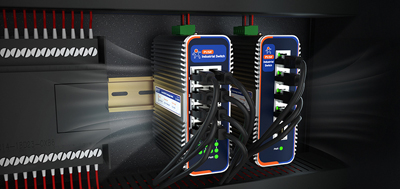
Second: place an industrial-grade device that can handle the load at the production line edge.
I'm not talking about a switch. I mean an industrial 4G router or an edge computing gateway. What it does is critical: it processes MES's core interaction logic—work order dispatch, confirmation reporting, AGV dispatch commands—locally on the line. No need to round-trip to the server room every time and wait for a response.
There's a passage in the reference material that puts it perfectly: "Through heterogeneous computing methods to achieve sensor fusion, these computers utilize dedicated hardware accelerators to integrate IoT sensors, process and analyze edge AI workloads, and quickly store data for further analysis."
This was originally about industrial computers, but the logic is identical—you don't need to throw all data to the cloud. You need a local "brain" next to the production line that digests the most critical real-time interactions on the spot.
Take AGV dispatch. If dispatch commands have to go up to the cloud server, wait for it to compute, then come back down—that's at least 200ms round trip. But if you put an industrial 4G router at the workshop edge doing local dispatch, commands complete within the line. Latency drops to single-digit milliseconds. The AGV never gets "lost"—doesn't know where it is, doesn't know where to go, stops in the middle of an aisle waiting to get rear-ended.
Third: when picking equipment, don't look for "enterprise-grade"—look for "industrial-grade."
This is where too many manufacturing people have stepped on landmines.
That "enterprise-grade industrial 4G router" you bought—plastic case, fan inside, rated 0–40°C, standard RJ45 ports. Fine in an office. In a stamping workshop? Three months in, the fan clogs with dust and seizes. Thermal protection shuts the unit down. You think the network dropped. Actually, the device died.
What's the industrial-grade standard? Fanless passive cooling. Fully enclosed metal chassis. Wide temperature: -40 to 75°C. Wide voltage: 9–60V DC direct to industrial power. Vibration-proofed connectors. Link redundancy—5G drops, switch to 4G; 4G drops, switch to wired. Three paths, guaranteed.
Just like the reference material says: "Fans are common failure points and fragile links for single points of failure. Through rugged fanless design with passive heat dissipation, the industrial computer's chassis is fully enclosed, supporting a wide temperature operating range, resistance to shock and vibration, and a wide power input range."
This standard isn't just for industrial computers. Your network equipment has to meet it too.
Last year, a client in Dongguan—brake disc factory, 600 million RMB annual output.
MES was from a major international vendor. Server specs were solid—dual Xeon, 128GB RAM, SSD RAID. But every day starting afternoon shift, line reporting slowed down. AGV dispatch kept "losing connection." Night shift peak, MES went completely unresponsive. The workshop supervisor cursed IT daily.
The IT manager cycled through two rounds of server upgrades, optimized the database, tuned JVM parameters. Nothing worked.
Then they found us. We didn't touch their MES. We didn't touch their servers. We did one thing: placed one industrial 4G router in each of three workshops, pushed MES core interactions down to the line edge, and physically isolated the production network from the office network.
The retrofit cost under 80,000 RMB.
Results?
MES reporting response time dropped from an average of 1.2 seconds to 0.15 seconds. AGV dropout rate went from 4.3 times per day to zero dropouts for 60 consecutive days. The workshop supervisor never called again at 2:00 a.m.
The IT manager later told me: "I've done IT for eight years. First time I realized I'd been fixing the wrong thing the whole time."
If your MES is also "freezing," if you've swapped servers, optimized databases, called your MES vendor—and the problem persists—
Stop staring at the system.
Go check your network. Grab a laptop, plug into a production line port, run a continuous ping. Check the latency jitter and packet loss. Then look at the APs and industrial 4G routers in your workshop—do they have fans? What material? What's the rated operating temperature?
You might find the answer has been right under your feet the whole time—you just never looked down.
Industrial networking isn't "works fine, good enough." It has to withstand extreme heat, electromagnetic interference, AGVs running around blocking signals, and dozens of devices fighting for bandwidth during night shift peak.
Something like the USR-G806W industrial 4G router—wide temp, shock-proof, multi-link redundancy, designed for line automation. No major architecture overhaul needed—mount it and go. Of course, every factory is different. For specific deployment, get someone who understands industrial environments to take a look.
Your MES isn't slow. The road it travels on is terrible.
Fix the road, and the system will be fast on its own.