The gateway is online, the IP responds to pings, but the PLC still cannot be found. This is the most common issue on site. The network is usually fine—the problem lies in how the software "locates" the device. Worse than not finding it are the extra site visits and additional dedicated lines that this wastes.
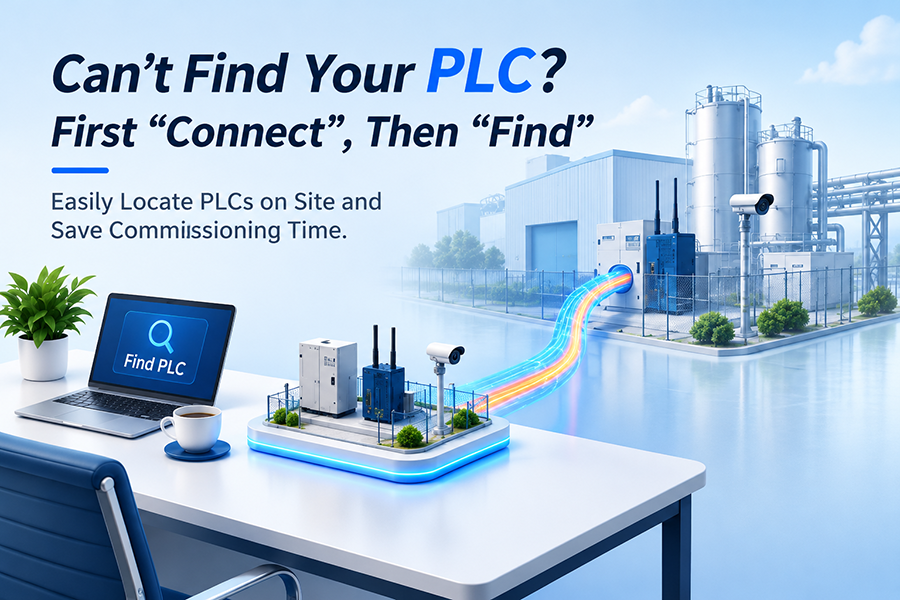
A common claim goes like this: "Industrial protocols rely on Layer-2 broadcasts, so Layer-2 networking is mandatory." This statement conflates two separate issues.
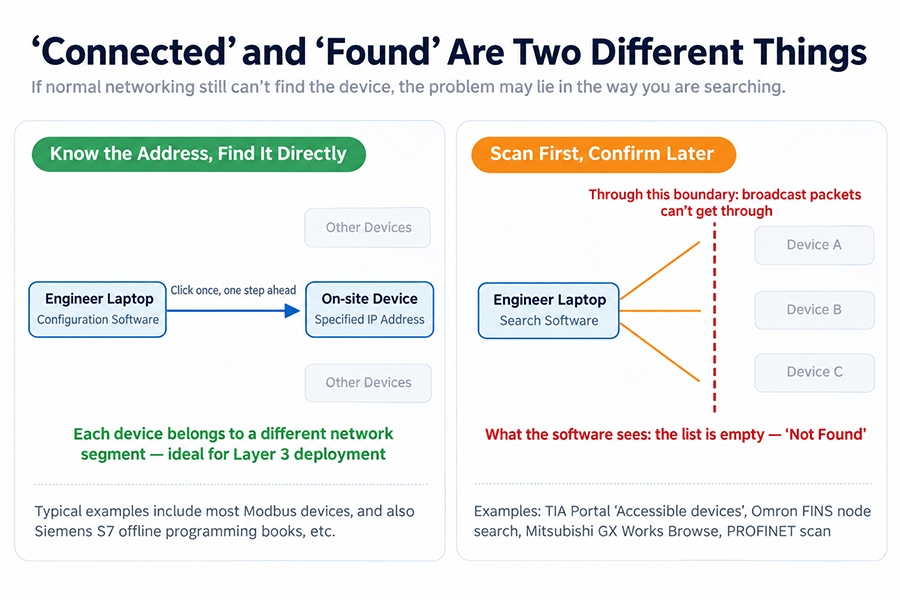
Think of it this way: treat each device as a building, and the router as the building entrance.
Connected = Sending a package
The address is on the envelope, and packages reach any building. Modbus TCP, Siemens S7 data reads and writes work this way: you know the device address, the route gets there, and Layer-3 networking is sufficient—no broadcast needed.
Found = Calling out loud
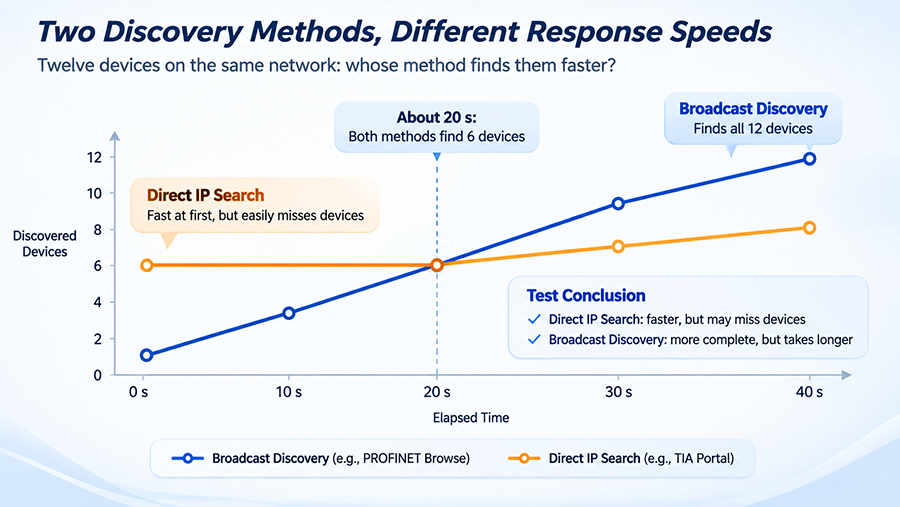
Like standing in an office and shouting: "Anyone there?" TIA Portal's "Available Nodes," Omron FINS node search, Rockwell's Browse, and PROFINET's DCP scan all do exactly this. The voice cannot exit the building, nobody answers, and the software list remains empty.
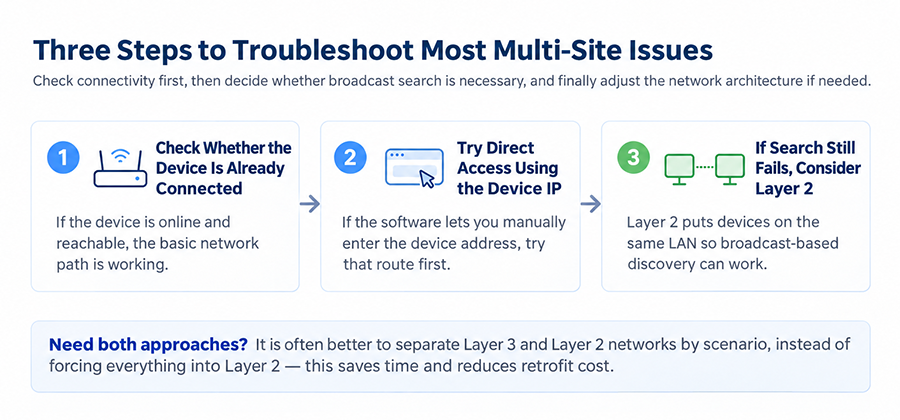
The test is short: when you cannot find the device, first check how the software looks for it. If you can type in the address and connect, the problem is not in the network.
"Online" and "Connected" are two different states in the backend. Online means the device has connected to the platform; Connected means the tunnel is open. If it is only online but not connected, check the tunnel first instead of suspecting the software.
Most debugging software supports manually entering the device address to add it to the project. At many sites, this alone resolves the issue—no network changes, no mode switching, no extra cost.
Layer-2 merges two locations into one large room where a shout reaches everyone. But no two people in the room can share the same name, IP addresses must be planned ahead on both sides, and sometimes you need to change addresses that the site equipment is already using. With enough people in the room, shouts interfere with each other.
When both needs exist in the same project, building two separate networks is recommended instead of forcing the entire network into one Layer-2 segment.
Construction
The traditional approach runs a dedicated line or self-built VPN: dedicated lines are paid monthly with lead times for provisioning; self-built solutions require someone to deploy and maintain. The third path for remote networking uses the site's existing Internet connection (broadband, 4G, 5G—all acceptable) to build a private channel just for you. No public IP required, no rewiring, no disruption to the existing network at the site—just side-mounted integration and it works.
Travel
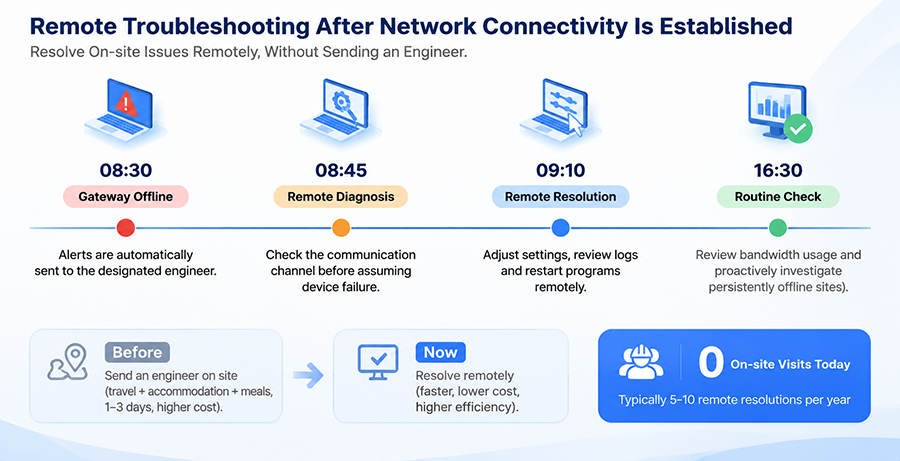
A single site trip costs thousands of yuan in high-speed rail tickets, hotels, and meals—at the high end, upwards of ten thousand. Five to ten trips per project per year are not unusual. Once the tunnel is open, adjusting parameters, checking logs, downloading programs, and remote reboots can all be done from your desk. Things that previously required "scheduling someone to go" get handled remotely the same day. The savings are not only money, but engineers' available time.
Billing
When the device count is small, buying licenses per unit makes sense. When the network grows, a whole-network subscription is more cost-effective. Taking the Operations Edition as an example: once the count exceeds about 30 units, the annual fee for the whole-network subscription becomes lower, and additional devices added afterward incur no extra cost: expanding from 30 stores to 50 stores does not increase the fee. The license-to-device binding relationship can be reassigned at any time, with remaining validity preserved. When a device fails and is replaced, or when a project shifts to a different target, there is no need to repurchase.
Starting cost is essentially zero
Each gateway comes with 3 Mbps of free bandwidth by default, so you can verify "can it connect, does it work" first before deciding whether to upgrade. Regarding bandwidth, instead of claiming "unlimited speed," a more honest statement is: committed rate with traffic priority guarantee. This bandwidth is dedicated to your network; other accounts cannot consume it, and short peaks are handled.
Faults are detected before people notice.The backend displays "device online" and "network connected" separately and shows bandwidth usage rankings for each member—long-term high usage signals an upgrade is needed. The alert center pushes online/offline and bandwidth alerts directly to designated people, so you do not need to wait for business teams to call and ask "why can't I access it." Most anomalies can be detected before a real outage occurs.
Most on-site tasks can be done remotely.Combined with remote Web/SSH login, configuration changes, log reviews, packet captures, and command runs are all completed from the office. Many things that were previously "must be on-site" were actually "must have someone on-site."
Different scenarios, each with its own use case:
• Chain stores, multi-branch companies: Installing a gateway at a new store adds it to the network, with headquarters uniformly checking the store's POS, CCTV, and access control. Each new store does not need reconfiguration.
• Outdoor construction sites, remote parks: Devices are scattered and wiring is impractical; insert a SIM card and connect monitoring and control equipment.
• New energy stations, distributed monitoring points: Many sites with small per-site traffic—the whole-network subscription flattens cost, and operations does not need to visit each station.
• System integrators, equipment manufacturers: Build separate networks per project, manage multiple customers with one account, and handle permission revocation and granting through the backend after delivery.
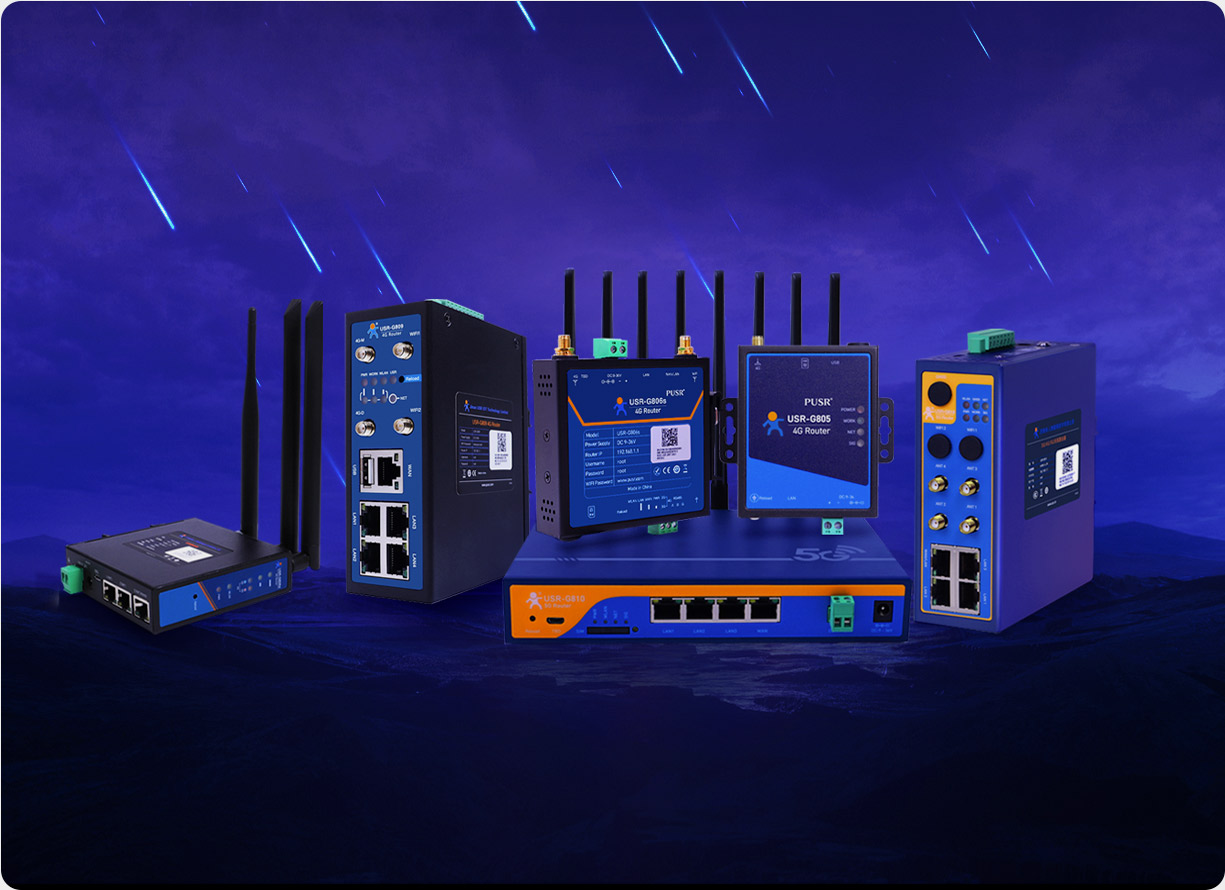
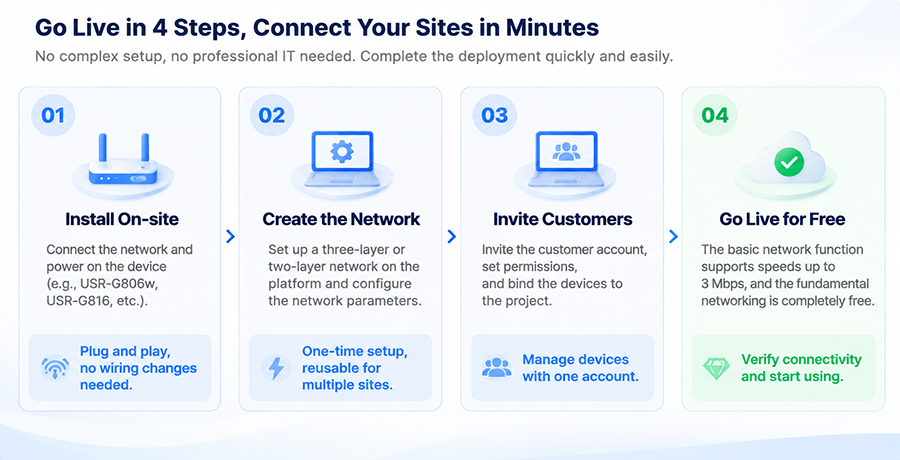
Step 1: Install a gateway supporting remote networking on site (such as DR185, G805s), connect via SIM or Ethernet, and it comes online upon power-up.
Step 2: Create a network in the backend, choose Layer-3 or Layer-2 based on the use case, and add the gateway and members that need to access.
Step 3: Install the client on the office computer, log in with the same account, and both sides are now on the same network—access devices directly by address.
Step 4: Use the gateway's built-in free bandwidth first to complete the workflow, confirm it works, then select a tier based on device scale and traffic.
When the device count is small and stable, per-unit purchasing is most flexible. Once you reach around 30 units and are still growing, look directly at the whole-network subscription.
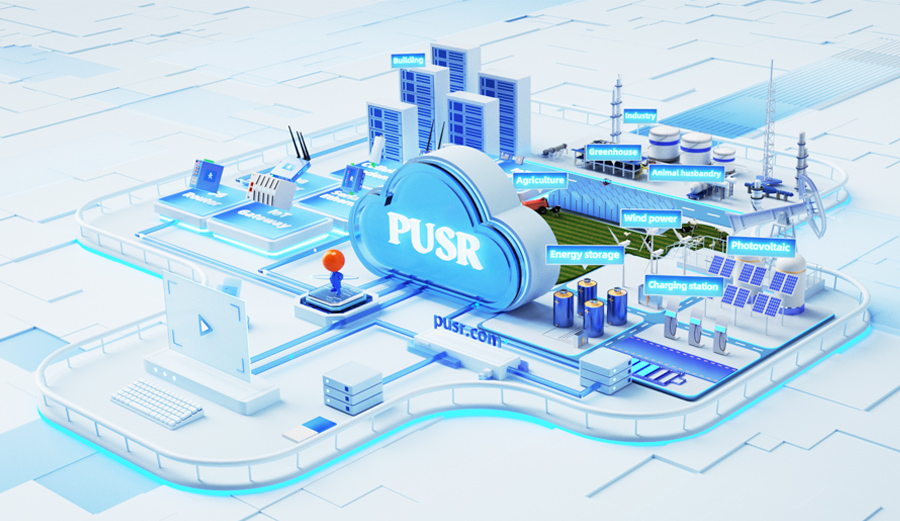
PUSR Remote Networking is the remote networking service of the PUSR Cloud platform by PUSR (Someone IoT). Through the cloud platform, gateways and clients distributed across various locations are connected into the same virtual network, ready to use upon boot-up, without additional deployment and operations.
• Layer-2 and Layer-3 both supported: PLC debugging, NVR discovery, multicast video—scenarios requiring "shouting" run on Layer-2, while IP-direct-connectable scenarios use Layer-3.
• Three-network node auto-routing: Telecom, Unicom, and Mobile nodes automatically route by carrier; subscribed bandwidth has a committed rate and traffic priority guarantee; data is encrypted end-to-end, no public IP required, no changes to existing network needed.
• Full platform support: Over a dozen industrial gateways are all supported; Windows, macOS, and Linux clients are available; each gateway comes with 3 Mbps of free bandwidth by default.
• Scaled validation: Serving 300,000+ users cumulatively, covering 30+ provinces and 170+ cities across China.
If you have relevant needs, please scan the QR code below to contact the responsible person for consultation, or leave a comment, and we will get back to you as soon as possible.