Old equipment in the plant has only an RS-232 or RS-485 interface, yet data needs to reach the other side of the Ethernet network. This is the most common deployment scenario for Serial Device Server — and where buyers feel the most confusion when requesting quotes.
Mainstream serial server product lines on the market typically offer 8 to 16 serial ports, with unit prices ranging from a few hundred to several thousand dollars. When only 1 or 2 ports are actually needed, paying for unused ports is one issue. More importantly, the full suite of features bundled with high-end models — protocol conversion, cloud MQTT, SSL encryption, edge computing — does the project really need all of that?
The core selection principle: list the features your actual scenario requires, then check whether the product has them. More features do not mean better; the most economical choice is the one that is just enough.
Transparent transmission.This is the only core mission of a Serial Device Server. Bytes received on the serial side are forwarded exactly as received to the network side, and bytes received on the network side are forwarded identically to the serial side. No parsing, no modification, no judgment of protocol content. Modbus RTU, custom ASCII, vendor-specific protocols — all accepted without question. If a device cannot do this, no amount of extra functionality makes it worthwhile.
PUSR USR-TCP232-302 is the starting point for single-port RS-232 to Ethernet conversion, featuring an ARM Cortex-M0 processor running at 48 MHz, 150 mA power consumption (5V supply), dimensions of only 71×60×25mm, and wall-mount installation support. It does one thing and does it well — moves RS-232 device bytes onto the Ethernet network, nothing more.
Multi-client simultaneous access.TCP Server mode supports up to 16 concurrent client connections. A single scale's data being read by multiple PCs at the same time is a very common factory scenario. If the device does not support multi-client access, additional hardware purchases become necessary when new read nodes are added later.
Virtual COM port driver.Many legacy host applications only recognize local COM ports and cannot accept IP addresses. Virtual serial port software like USR-VCOM maps the network connection to a Windows local COM port, allowing old software to continue running without any code modification. This is the baseline for compatibility.
Modbus gateway function.If field devices use the Modbus RTU protocol and need to connect to a Modbus TCP PLC or SCADA system, gateway mode converts RTU frames into TCP packets. For small projects with only 1 to 2 Modbus slaves, this built-in gateway eliminates the cost of deploying a separate protocol converter. But if the host system already uses Modbus RTU, or devices use custom ASCII protocols, this feature serves no purpose.
SSL/TLS encryption.When data must traverse untrusted networks — such as inter-campus public connections, carrier lines, or projects with compliance requirements — SSL/TLS is necessary. If the device is deployed on a closed corporate intranet and data never leaves a controlled area, the cost increase from encryption is pure premium with no functional benefit.
MQTT protocol support.When data needs to be reported directly to an MQTT cloud platform (AWS IoT, ThingsBoard, etc.), an MQTT gateway shortcuts the need for an intermediate server. But most small-to-medium projects still route data through local SCADA or databases; connecting the device to the corporate intranet is sufficient. Going straight to MQTT costs an extra dollar for nothing.
Edge computing capability.USR-TCP232-410s features a Cortex-M7 processor (400 MHz) supporting up to 300 data points for collection and JSON-format reporting, enabling data decoding and preprocessing at the device level. When dozens of field devices are deployed and data points to report are dense, edge computing significantly reduces server processing load. For a collection node with only two or three sensors, this capability goes unused.
High port-density multi-port devices.8-port and 16-port Serial Device Servers suit centralized deployments in large projects. When only 1 to 2 devices need to be connected, buying an 8-port device not only doubles the price but also occupies DIN-rail space, requires an extra power cable, and adds another acceptance test. Single-port models (such as the USR-TCP232-304 for 1-port RS-485, or the USR-DR132/134 lipstick-size 1-port design) cost a fraction of multi-port devices when port count matches actual needs.
Pluggable DIN-rail mounting.USR-DR132/134 uses push-wire pluggable terminal blocks and is compact as a lipstick, designed for tight equipment cabinets. But if the device is mounted on the DIN rail of a control cabinet, a standard wall-mount metal enclosure (such as the USR-TCP232-410s) is sufficient. No need to pay a design premium for compact dimensions.
RFC2217 remote serial parameter adjustment.Modifying baud rate, data bits, stop bits, and parity dynamically over the network is useful when devices are frequently swapped or remote debugging is required. But for fixed deployments where parameters are set once and never changed, this feature has very low value.
Registration packet mechanism.The registration packet function allows the server to identify different client identities, suitable for multi-role authorization management scenarios. If the project only needs basic TCP connections without access control segmentation, registration packets are not a necessity.
Step 1: Confirm serial port type.Choose USR-TCP232-302 for RS-232 point-to-point scenarios; USR-TCP232-304 for RS-485 scenarios; USR-TCP232-410s when RS-232 and RS-485 need to run simultaneously. Matching port count to actual need is the most direct form of cost control.
Step 2: Confirm power supply method.5V DC jack supply (USR-TCP232-302) suits desktop or stable DC environments; wide-voltage 5-36V input (USR-N510) suits 24V control cabinets or unstable outdoor power; 5-24V wide-input (USR-DR132/134) suits internal equipment power taps. Selecting the wrong power method may require purchasing an additional power module alongside the converter, which ends up increasing cost.
Step 3: Confirm deployment environment.-40℃ to 85℃ operating range, metal enclosure, wide-temperature industrial-grade design (such as USR-TCP232-410s) suit harsh conditions; -25℃ to 75℃ (such as USR-TCP232-302) suit climate-controlled indoor scenarios. Specifying a higher environment rating than needed increases procurement cost; specifying too low increases after-sales cost. Both should be avoided.
Step 4: Check the feature list item by item.List the features your project actually needs — multi-client access, Modbus gateway, encryption — and compare them one by one against the product feature table. Do not pay for features the project does not need.
Step 5: Conduct acceptance testing.Read data once through a direct serial connection to verify parameters first, switch to network communication, then run the system for a while to observe reconnection time and byte order. When exporting configurations, include the site identifier and date in the filename for easier future maintenance and replacement.
Choosing an economical Serial Device Server is not about stacking features — it is about precise matching. Transparent transmission and multi-client access form the foundation; Modbus gateway, encryption, MQTT, and edge computing are selected or skipped based on actual scenario needs; high port-density and complex management mechanisms can be directly omitted in 1-to-2-port scenarios.
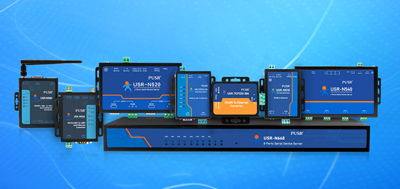
PUSR offers a complete product line ranging from single-port RS-232 (USR-TCP232-302), single-port RS-485 (USR-TCP232-304), dual-port RS-232+RS-485 (USR-TCP232-410s), to lipstick-size compact design (USR-DR132/134) and wide-voltage single-port (USR-N510). Manufacturers do not need to pay for unused ports or features — industrial-grade quality and reasonable pricing coexist.
No. A Serial Device Server performs bidirectional transparent transmission only — bytes received on the serial side are forwarded exactly as received to the network side, and bytes received on the network side are forwarded identically to the serial side. This applies to Modbus protocols and custom ASCII protocols alike. RTU frames are converted to TCP packets only when Modbus gateway mode is enabled.
Yes. TCP Server mode supports up to 16 concurrent client connections. Note that serial ports are inherently point-to-point, so typically only one host may send data while the remaining hosts only read, to prevent multiple devices from writing to the same serial port simultaneously.
No. RS-232 uses single-ended signaling referenced to ground, while RS-485 uses differential signaling. Passive adapter cables cannot perform level conversion or topology conversion. Verify the actual electrical standard of the device's panel port before purchasing.
Transparent transmission itself does not drop bytes. Data loss risk comes from link interruptions and reconnection events. Long-connection stability depends on the host software's auto-reconnect behavior and whether intermediate switches or wireless links disconnect idle connections. Running continuous data during acceptance testing reveals this.
Not necessarily. Most Serial Device Servers come with a wired Ethernet port. Connecting one to a nearby router or wireless bridge handles the Wi-Fi portion through peripheral equipment. If purchasing a model with built-in wireless functionality, first confirm that it can join the target network as a client.
No. Baud rate, data bits, parity, and stop bits should match the converter to the original device settings; the network side only transports data. Converter settings need modification only when dynamic serial parameter adjustment from the network side is required.
Power supply methods vary by model. USR-TCP232-302 uses a DC 5V jack; USR-TCP232-410s uses wide-voltage terminal input with reverse-polarity protection; USR-DR132/134 accepts DC 5 to 24V wide-input and can connect directly to the device's internal DC power source. Confirm that the field power supply matches the selected model's requirements before purchasing.
When host software only recognizes local COM ports, virtual COM port software maps the network connection to a Windows local COM port, allowing legacy software to run without code modification. Without this driver, the software cannot connect to the serial device server directly via IP address.