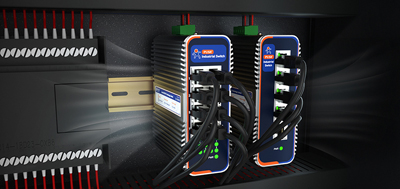
In industrial settings, a fanless industrial PC shows normal Ethernet link lights, the switch port is working as expected, but the data acquisition service simply won't connect. After a reboot, everything comes back. A few days later, the same problem returns.
This situation is not rare on automated production lines, in PLC cabinets, or at outdoor monitoring stations. The root cause usually isn't the cable or the switch — it lies deeper.
Industrial power is rarely "clean." Voltage ripple, surges, and ground loop noise are common on 24V DC lines. These conditions don't damage hardware immediately, but they gradually destabilize the Ethernet PHY controller.
One typical symptom: after months of operation, the Ethernet connection starts dropping intermittently, and the system only recovers after a full reimage. This isn't an operating system problem — it's power interference causing abnormal states in the underlying hardware.
The PUSR USR-EG228 features a wide 9-36V DC input with built-in reverse polarity protection and a hardware watchdog, keeping the device stable under fluctuating industrial power conditions.
The inside of a PLC cabinet is not an electrically quiet environment. Electromagnetic interference from VFDs, servo drives, and relay switching directly affects low-end network controller chips.
Consumer-grade NICs are typically designed only for office environments. On an industrial site, the typical symptoms are: Ethernet links repeatedly reconnecting, DHCP assignment failures, and packet loss. These issues are often misdiagnosed as switch faults or network configuration errors.
The PUSR USR-EG628 is built with an industrial-grade Ethernet architecture that offers stronger EMI resilience, supporting stable 24/7 communication.
Many industrial PCs labeled "fanless" have poor internal thermal design. Heat gets trapped inside the chassis, forcing LAN controllers and SSDs to operate under sustained high temperatures.
Ambient temperatures inside PLC cabinets often exceed 40°C, and localized internal hotspots can reach 70°C or higher. Over time, this leads to intermittent Ethernet failures and random system freezes.
The PUSR USR-EG228 uses a full aluminum heat-conductive chassis that spreads heat evenly across the enclosure surface, preventing internal hotspots. The USR-EG628 adopts the same passive cooling architecture, ensuring stable operation across a wide temperature range (-25°C ~ +75°C).
When an Ethernet connection fails, work through these steps in order:
Step 1: Check driver status
In Windows Device Manager, look at the network adapter and confirm there is no yellow warning icon. If there is one, uninstall the driver, reboot, and install the latest official driver. Also disable NIC power saving — under Power Management, uncheck "Allow the computer to turn off this device to save power."
On Linux, use ethtool --show-eee to check whether Energy Efficient Ethernet is enabled. If it shows active, turn it off with ethtool --set-eee eee off.
Step 2: Check the physical connection
Swap in a different Ethernet cable to rule out cable issues. Check the switch port link lights, and test with a different port.
Step 3: Check IP configuration
Static IPs are recommended in industrial settings. Confirm the device and its peer are on the same subnet, with correct subnet mask and gateway settings. Temporarily disable the Windows firewall during testing to rule out security policy blocks.
Step 4: Check system logs
On Linux, run `dmesg | grep eth` to look for kernel messages such as "NIC Link is Down" or "DMA timeout." These logs point directly to driver-layer or hardware-layer problems. |
A surprising number of Ethernet failures actually originate from storage corruption. Windows networking depends on registry integrity, driver files, and service binaries. When an under-spec SSD or an unsafe shutdown corrupts system files, network functionality fails even though the Ethernet hardware is physically healthy.
Reimaging appears to "fix" the problem because it rewrites the system files. But if the storage hardware itself is degrading, the failure will come back.
The PUSR USR-EG628 and USR-EG228 are both equipped with industrial-grade storage designs, reducing the risk of storage-related failures.
Troubleshooting intermittent Ethernet failures on an industrial PC follows one core principle: software before hardware, external before internal:
A genuinely reliable fanless industrial PC needs to get four things right at once: wide voltage input, industrial-grade NICs, passive cooling, and industrial-grade storage. PUSR offers a complete product matrix from ARM to x86 — including the USR-EG228, USR-EG628, and USR-EG928A — covering requirements from edge data acquisition to AI computing power, with options for different application scenarios.
1. Does a fanless industrial PC really not need cooling?
It does need cooling — just in a different way. The fanless design uses the full metal chassis as a passive heat sink, conducting internal heat to the enclosure surface. No fan means no dust intake path, which makes it well suited to dusty environments.
2. The Ethernet link light is on but there's no communication. What could be wrong?
Common causes include: abnormal NIC drivers, incorrect IP configuration, enabled power-saving mode, or firewall rules. Check the driver status in Device Manager first, then verify the network configuration.
3. Why does the network recover after a reboot or reimage, only to fail again later?
This usually indicates progressive damage at the hardware level — the PHY controller or the storage. Reimaging only rewrites system files; it doesn't fix the underlying hardware problem.
4. What's the difference between industrial-grade and consumer-grade NICs?
Industrial-grade NICs meet higher standards for EMI protection, operating temperature range, and driver lifecycle support. Consumer-grade NICs perform fine in offices but are prone to interference in industrial sites dense with VFDs and servo drives.
5. What applications are fanless industrial PCs suited for?
Any environment with dust, moisture, vibration, or wide temperature requirements: food production lines, automotive manufacturing, outdoor cabinets, PLC control cabinets, and more. In a clean, temperature-controlled environment, a standard embedded PC may be sufficient.
6. What operating systems do PUSR fanless industrial PCs support?
ARM models such as the USR-EG228 and USR-EG628 come with Ubuntu 22.04 Linux pre-installed, with Node-RED and Docker ready to use out of the box. The USR-EC series x86 models support both Windows and Linux.
7. What does wide voltage input mean for an industrial PC?
It means the device supports a broad DC voltage range (such as 9-36V DC) instead of a fixed 12V or 24V. Since power fluctuations are common in industrial settings, wide voltage input keeps the device running when supply voltage varies.
8. How do I know if an industrial PC's cooling is adequate?
Touch the enclosure — a clearly hot spot indicates uneven heat distribution. Reputable products specify an operating temperature range (such as -25°C ~ +75°C) and use full aluminum heat-conductive designs to spread heat evenly across the chassis.