When selecting equipment for industrial IoT projects, the core requirements around the industrial router — device stability, multi-network access, and remote maintenance capabilities — often determine whether a project launches smoothly. There are many models on the market, and what really separates successful deployments from problematic ones comes down to three things: understanding the site environment, network needs, and maintenance capacity in advance.
Before choosing equipment, confirm whether the need is for "connectivity" or "connectivity + switching."
Industrial routersdeliver "connecting devices to platforms." They handle wired/wireless access, network protocol translation, and remote management — serving as the information hub in an industrial IoT chain.
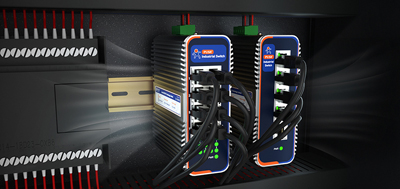
Industrial switchesdeliver "aggregating multiple devices." They connect several on-site devices into a single network and provide multi-port switching capacity.
Some models offer a combined "router + switch" design. When many on-site devices require routing simultaneously, integrated equipment saves installation space. When device count is low and basic connectivity is all that's needed, a single-function router delivers better value.
Site environment dictates equipment specifications, not the other way around. Selection should follow these three steps in order:
Step 1: Confirm the operating temperature range.
Temperature specifications vary significantly across industrial equipment. Standard devices typically operate within 0°C to 40°C. Most industrial routers cover -20°C to +70°C. When the site temperature is extreme — outdoor enclosures, un-air-conditioned rooms — verify whether the device covers -35°C to +75°C or wider. This is the most basic, yet most frequently overlooked, selection criterion.
Step 2: Confirm the on-site network access method.
Different access methods correspond to different product lines:
Step 3: Confirm remote maintenance requirements.
After deployment, maintenance capability determines whether the project can be managed long-term. Key areas to review:
Option A: Basic Connectivity (4G Wireless Access)
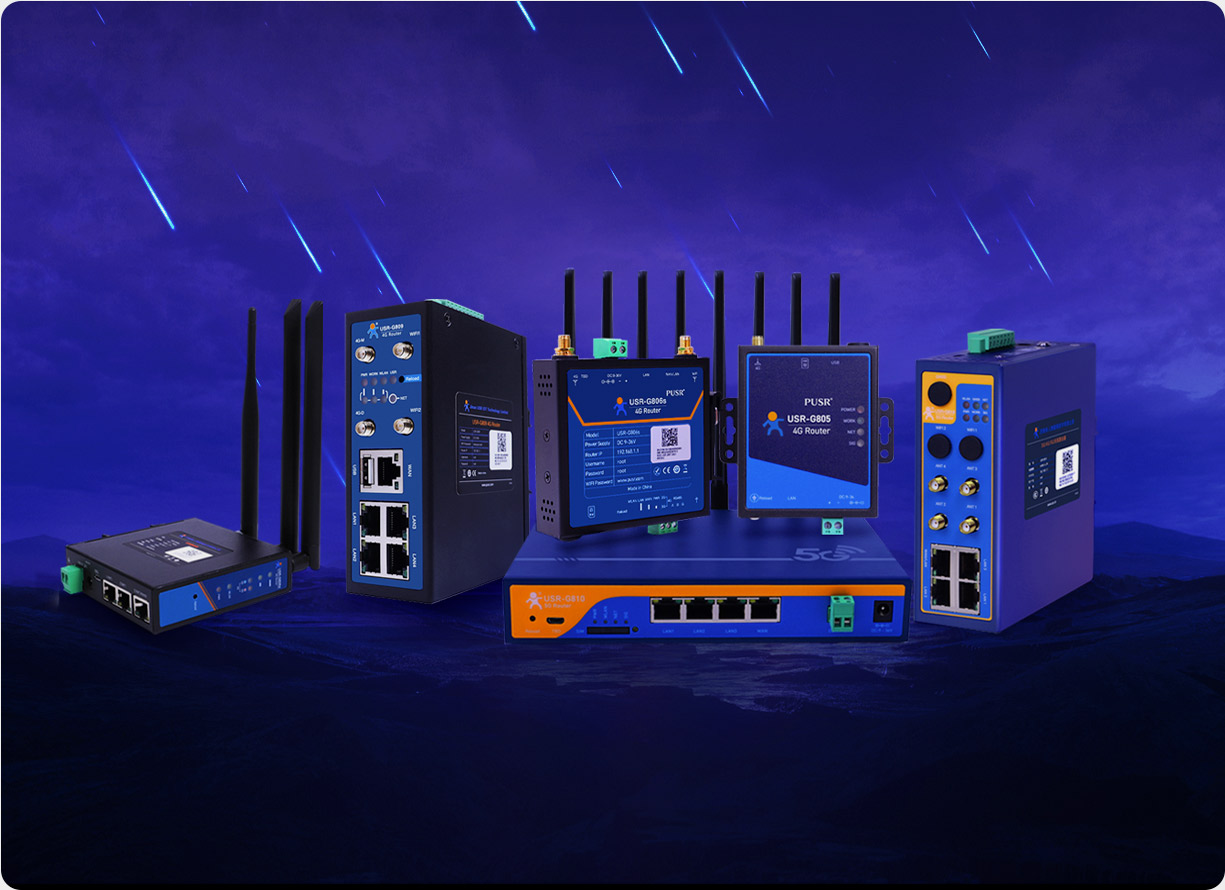
When installation space is limited and simple wireless connectivity is needed, a compact industrial router suffices. A model covering -20°C to +70°C with three flexible ports, built-in Wi-Fi, dual watchdog timers (hardware + software), and surge/EFT/ESD protection handles standard industrial environments with room to spare.
Option B: Connectivity + Switching (Multi-Device Wired Scenarios)
When multiple on-site devices need simultaneous network access alongside routing functionality, a gigabit-grade edge router is a practical choice. This device type combines routing and switching to save space, suitable for medium-scale deployments.
Option C: High Bandwidth + Extreme Conditions (5G + Wide Temp)
5G modems, high-frequency data scenarios, and extreme temperature environments (outdoor communication cabinets, un-air-conditioned server rooms) require the highest-spec industrial equipment. Wide temp range from -35°C to +75°C, 5G SA+NSA support, multi-network access options, and comprehensive VPN protocols — these are built for demanding sites.
Does the temperature range listed in the product datasheet match the actual site conditions? A datasheet listing -20°C while the site reaches -25°C will likely result in frequent device reboots. Temperature tolerance is the most non-negotiable specification in selection.
When deployed equipment fails, how does the operations team know immediately? Devices without offline alerts, signal weakness alerts, or data cap alerts are essentially running blind. Troubleshooting becomes time-consuming and labor-intensive.
Deploying 10 devices and deploying 100 devices carry very different maintenance costs. Device fleets without a centralized management platform consume significant manpower for upgrades and troubleshooting later.
Different projects require different security protocols. IPSec, OpenVPN, PPTP, L2TP, GRE — verify which protocols the target platform supports before selection, to avoid deployment failures after installation.
Industrial routers use wide-temperature design (typically -20°C to +70°C or wider), hardware watchdog timers, and surge/ESD/EFT protection to withstand electrically noisy industrial environments. Standard home routers operate within 0°C to 40°C and have significantly lower protection ratings.
Mainstream industrial routers support wired Ethernet, 4G LTE (Cat.4 and above), and 5G (SA+NSA). Some models also support multi-network redundancy failover.
Common industrial IoT projects require IPSec, OpenVPN, PPTP, L2TP, or GRE support, depending on the target platform's security requirements.
Offline alerts, weak signal alerts, and data cap alerts notify operations teams before problems escalate, preventing the reactive scenario of discovering a device is offline only after it has been missing for days.
Evaluate across three dimensions: hardware protection (watchdog timers, surge protection, ESD/EFT immunity), environmental protection (wide temperature, wide-voltage power supply), and software protection (remote management, firmware upgrade capability).
Outdoor communication enclosures, un-air-conditioned server rooms, equipment rooms, rail transit, ports — any industrial site with strong electromagnetic interference and significant temperature fluctuations.
This depends on port count and whether switching functionality is included. Three-port models typically connect 2-3 devices. Five-port or higher models connect more. Multi-device scenarios benefit from router + switch integrated solutions.
Operating temperature range is the most fundamental and non-negotiable specification. After that, confirm the access method (wired/4G/5G) based on site network requireme