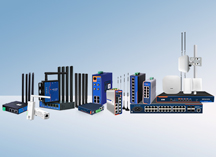
When an on-site legacy device arrives with only a RS232 or RS485 port, while the control system sits kilometers away in a wiring closet and speaks only TCP/IP, a serial device server becomes the bridge between the two.
Products on the market span a wide range, from inexpensive "small boxes" to gateways with Modbus protocol conversion and edge computing capabilities. The naming varies, and features keep stacking up. When system integrators and network engineers source serial networking equipment for customer projects, how to make the right choice without falling into common traps?
The first step in selection is to inventory the serial device interfaces on site and their types. RS232 and RS485 use completely different voltage levels and cannot be plugged into each other physically. Buying the wrong type means an unworkable device once it arrives.
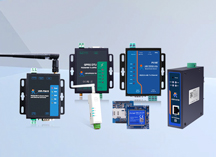
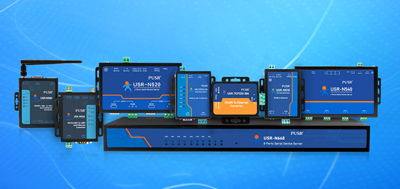
If there is one RS232 device and one RS485 device that need to connect to the network simultaneously, a dual-port serial device server makes more sense. Products such as the USR-TCP232-410s provide both an RS232 port and an RS485 port on a single unit, each communicating independently. This approach saves cost compared to buying two separate single-port units, and the wiring layout stays clean.
If all on-site devices are RS485, a single-port RS485 to Ethernet converter like the USR-TCP232-304 is sufficient. Since RS485 supports multi-drop bus topology, one server can daisy-chain multiple on-site devices and relay all data over the network.
When counting ports, leave one or two extra. Exhibition halls and industrial sites frequently add or replace devices later. Buying exactly the number currently needed means purchasing another server the moment one new device appears.
Does the control software connect via raw Socket, or does it insist on a virtual COM port? This determines the feature set required from the device server.
Socket direct connection — accessing the device through an IP address and port number — works with any server that supports TCP Server or TCP Client mode. This approach has lower latency and does not require installing additional drivers on the client side.
If the control software is locked to COM1, COM2, or similar port names, the server needs to support a virtual COM driver so that the remote device appears as a genuine local COM port in the operating system. This option suits legacy software that cannot be modified and must use its original calling method.
Regardless of the mode chosen, baud rate, data bits, stop bits, and parity must match the on-site device exactly. Mismatching these parameters is a common cause of garbled data after connection.
Engineering projects are not laboratories. Equipment needs to run continuously at 24 hours a day, 7 days a week. Installing a consumer-grade plastic enclosure in a weak-current room might work for a few months, but long-term reliability drops significantly under sustained heat.
Industrial-grade serial device servers typically feature a metal housing for effective heat dissipation, wide-range power input (e.g. 5-36V DC), and an operating temperature range spanning -40℃ to +85℃. Hardware and software dual watchdog circuits automatically recover the device when the network fluctuates or a program hangs, preventing the serial port from entering a "dead" state.
Installation method matters as well. DIN-rail mounting fits weak-current cabinets; wall mounting is practical for locations near field equipment. Placing the serial device server as close to the serial device as possible keeps the serial cable short and lets the Ethernet cable handle the distance, resulting in more stable communication.
More projects today require data transmission across public networks. Standard TCP mode is adequate for local intranet deployments. However, when connecting to the cloud or building cross-site networks, SSL/TLS encrypted channels are worth the investment.
Server models with SSL encryption can enable encryption for TCP communication, HTTP requests, and MQTT data reports. Some products also support two-way certificate authentication. For water utility monitoring, smart agriculture, and energy management projects that upload data to remote servers, skipping this capability is a risk.
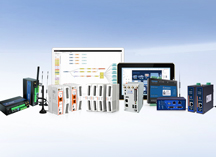
When on-site devices are numerous and data volume is large, uploading all raw data to a cloud server in real time puts significant pressure on the backend. Edge computing collects, filters, and aggregates data at the device side, sending only meaningful results upstream.
The USR-N720, an Edge IoT Gateway, supports up to 1000 data points for acquisition and analysis. It converts Modbus RTU data into JSON format and reports via MQTT. An SD card slot provides offline data caching: when the network connection drops, collected data is stored locally and automatically synced once connectivity is restored.
For projects requiring only simple transparent data forwarding, a standard serial device server is enough. When protocol conversion, data aggregation, or断网续传 (offline resume) are involved, an edge gateway reduces long-term maintenance costs considerably.
A key principle for engineering project procurement: do not use second-hand servers or DIY solutions.
Community forums frequently discuss building a serial-to-Ethernet bridge using a Raspberry Pi with a USB-RS232 adapter. This works well for personal hobby projects, but it is not suitable for commercial deployments. DIY solutions lack guaranteed stability, their supply chains are unpredictable, and there is no one to hold accountable when things go wrong.
Before placing an order, confirm the following:
A serial device server looks like a small piece of equipment, but it serves as the data entry point for the entire system. Choosing the right product, leaving adequate headroom, and confirming after-sales support upfront will reduce headaches after the project goes live.
No. A serial device server performs transparent byte transfer between serial and Ethernet, without modifying or translating protocol content. For Modbus RTU to Modbus TCP conversion, a dedicated protocol gateway is required.
A serial hub typically splits one serial line across multiple network connections, where all ports have identical functionality. A serial device server corresponds to one or more serial devices individually, each configurable with its own IP address and communication parameters.
Mainstream products typically support TCP Server, TCP Client, UDP, and virtual COM modes. In TCP Server mode, multiple clients can connect simultaneously. In TCP Client mode, the server actively connects to a remote host.
If the control software connects via raw Socket, no driver is needed. If the software only recognizes COM port names, the vendor's virtual COM driver must be installed on the client machine.
Industrial-grade units feature metal enclosures, wide temperature range design (-40℃ to +85℃), wide-voltage power input, and watchdog protection, making them suitable for 24×7 continuous operation. Consumer-grade models typically use plastic enclosures, have narrower temperature ranges, and lack the long-term reliability needed for continuous power-on environments.
Models with a Web configuration interface allow parameter changes and status monitoring through a browser. Some products also support centralized multi-device management and batch firmware upgrades through a cloud platform.
Most industrial serial device servers use wired Ethernet connections. If no Ethernet cable is available on site, consider a gateway model with 4G/cellular support or a device with Wi-Fi capability.
Count the serial devices on site, then add one or two extra ports as a buffer. Single-port units suit simple scenarios with few devices; multi-port or gateway models are better for device-dense projects.