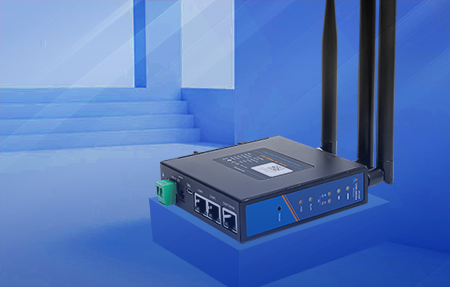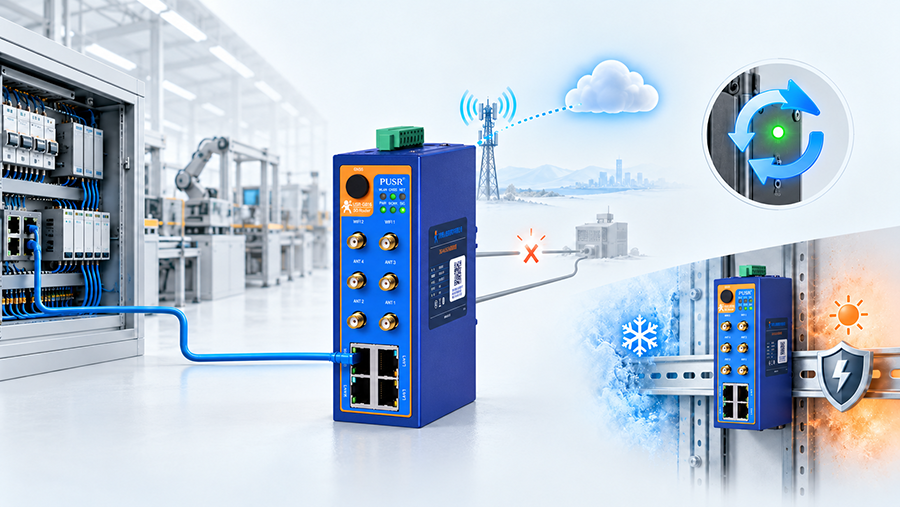
An industrial router is a network device built to move IP traffic between equipment on a local industrial network and a wide area network, and to keep doing it in places where office networking equipment fails. The local side is typically a mix of Ethernet devices, serial controllers (RS232/RS485) and Wi-Fi clients. The wide area side is a cellular link (4G LTE or 5G), a wired WAN connection, or both — one active, one standing by.
Three characteristics separate it from the router used in an office or a home:
Cellular coverage drops, fiber gets cut, and a cabinet can be powered down and back up several times a day. An industrial router detects the failure and switches to a backup path without an engineer on site.
A hardware and software watchdog restarts the device or the cellular link when the system stops responding, which removes the truck roll that a frozen router would otherwise require.
Metal housing, DIN-rail or wall mounting, wide-input power with reverse-polarity protection, industrial EMC protection against surge and electrical fast transients, and a wide operating temperature range.
Because the device sits at the boundary between operational equipment and an external network, it is also where remote access is controlled: VPN tunnels, firewall rules, port forwarding, MAC and IP filtering, and access control lists all terminate here.
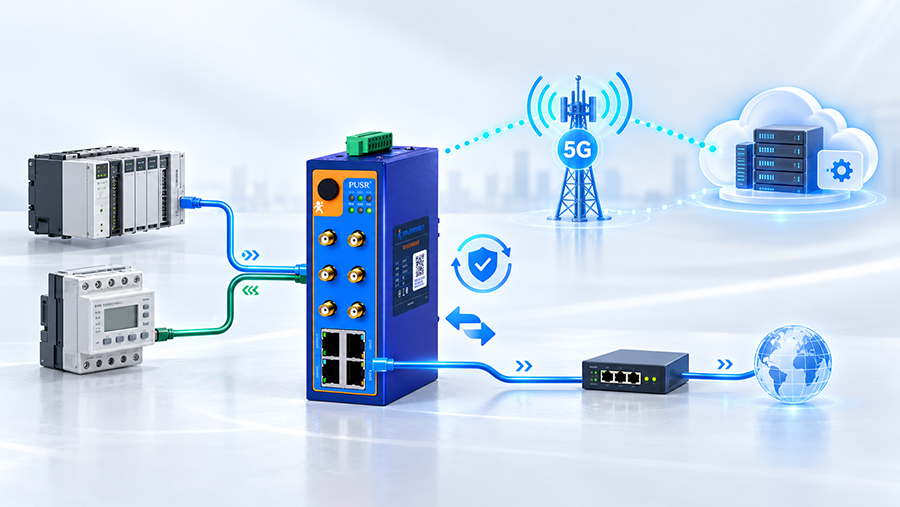
The data path has five stages:
The cellular module registers with the carrier network over a configured APN (or a private VPDN APN for corporate and IoT SIM cards). A wired WAN port can be configured as the primary path with cellular as backup, or the reverse.
The router runs DHCP server and client, static and dynamic routing, NAT, and DMZ. Local devices get private addresses; outbound traffic is translated onto the WAN address.
For IP devices this is ordinary routing. For serial equipment, the router performs transparent transmission — serial frames are encapsulated and carried over the cellular link to a central server, so a PLC or meter with only an RS485 port reaches the network without a protocol conversion gateway.
A dual watchdog (hardware and software) monitors system and link health. WAN failover evaluates the active path and promotes the backup — second SIM, Wi-Fi WAN, or wired — when the primary degrades.
Configuration, firmware updates, and alarm pushing are handled centrally, so a fleet of routers is managed as a fleet rather than one device at a time.
An industrial router can also act as a protocol gateway, translating between standard Ethernet and industrial Ethernet protocols when the equipment on each side speaks a different one.
|
Dimension |
Industrial cellular router |
Commercial / office router |
|
WAN source |
Cellular (4G LTE / 5G) plus wired WAN, with automatic failover |
Single wired WAN (fiber, DSL, cable) |
|
SIM support |
One or two SIM slots, dual-SIM backup |
Not applicable |
|
Operating temperature |
Typically −20 °C to +70 °C or wider |
0 °C to +40 °C |
|
Power input |
Wide-range DC via terminal block, reverse-polarity protection |
Fixed AC adapter |
|
Mounting |
DIN-rail, wall, or panel mounting inside a cabinet |
Desktop |
|
Enclosure |
Metal housing, ingress protection rated (IP30 typical) |
Plastic, unrated |
|
Electrical protection |
Surge and EFT protection, industrial EMC protection |
Basic or none |
|
Availability mechanism |
Hardware and software watchdog, link health checks, auto-recovery |
Manual reboot |
|
Legacy interfaces |
RS232 / RS485 for serial devices |
Not applicable |
|
Security functions |
VPN (IPsec, OpenVPN, L2TP, PPTP, GRE), firewall, ACL, port forwarding, DMZ |
Basic firewall, NAT |
|
Management |
Centralized fleet management, batch configuration, alarm pushing |
Local web interface |
|
Service life expectation |
Matched to industrial equipment lifecycles |
Consumer replacement cycle |
Seven checks cover most selection decisions:
① Network generation and bands. Confirm the bands the carrier uses at the site — LTE-FDD, LTE-TDD, WCDMA, or 5G NR sub-6 GHz in SA or NSA mode — rather than only the generation.
② Throughput requirement. Match measured demand, not peak marketing figures. A remote metering point needs kilobits; video backhaul needs megabits sustained.
③ Local interfaces.Count Ethernet ports, and check whether a serial port is required for equipment that has no Ethernet.
④ Redundancy.Dual SIM with automatic failover, plus a wired WAN option, covers most single-site failures.
⑤ VPN and security.Confirm the specific tunneling protocols the central site supports — IPsec, OpenVPN, L2TP, PPTP, GRE, or VXLAN — and whether the router can act as both client and server.
⑥ Environment.Operating temperature range, ingress protection, EMC protection, and available mounting.
⑦ Management scale.A handful of sites is manageable one device at a time; a distributed fleet needs batch configuration and remote firmware updates.
|
Specification |
USR-G806w |
USR-G816w |
|
Positioning |
Qualcomm chipset industrial LTE router; Wi-Fi chip and 4G cellular module both Qualcomm |
5G multi-port industrial cellular router |
|
Cellular |
4G LTE (FDD-LTE / TDD-LTE), WCDMA, GSM/EDGE |
5G NR sub-6 GHz (3GPP Rel-16), SA and NSA; LTE Cat 19 DL / Cat 18 UL |
|
Peak cellular throughput |
— |
5G SA: up to 2.4 Gbps DL / 900 Mbps UL; 5G NSA: up to 3.4 Gbps DL / 550 Mbps UL; LTE-FDD: up to 1.6 Gbps DL / 200 Mbps UL |
|
Ethernet |
3 × RJ45, configurable as 1 WAN + 2 LAN or 3 LAN |
3 × RJ45, 10/100/1000 Mbps, auto MDI/MDIX, 1.5 kV RMS Ethernet isolation |
|
IEEE 802.11 b/g/n, 2.4 GHz, up to 300 Mbps, up to 20 concurrent clients, 2 × RP-SMA-K antenna connectors |
Concurrent dual-band 802.11a/n/ac (5.8 GHz) and 802.11b/g/n (2.4 GHz); WPA-PSK, WPA2-PSK, mixed WPA/WPA2 |
|
|
Serial |
— |
1 × RS232 / RS485 (RS232: TXD, RXD, GND; RS485: A, B, GND) |
|
SIM |
Mini SIM (2FF), dual-SIM redundancy |
2 × mini-SIM (2FF) push-push slots; SIM2 can be customized with a built-in eSIM; dual-SIM backup |
|
VPN |
PPTP, L2TP, GRE, IPsec (IKEv1), OpenVPN |
L2TP, PPTP, IPsec, OpenVPN, GRE, VXLAN |
|
Redundancy |
WAN failover across Wi-Fi WAN, mobile, and wired links |
WAN failover, dual-SIM backup |
|
Reliability |
Hardware and software dual watchdog; surge and EFT protection |
Built-in hardware watchdog; industrial EMC protection |
|
Power |
DC jack 5.5 × 2.1 mm or 2-pin industrial terminal block; reverse-polarity protection |
DC jack 5.5 × 2.1 mm or industrial terminal block (V+, V−); reverse-polarity protection |
|
Operating temperature |
−20 °C to +70 °C |
−35 °C to +40 °C with adapter; up to −35 °C to +75 °C per PUSR test and evaluation |
|
Enclosure |
Metal shell, IP30 |
Metal shell, IP30 |
|
Dimensions |
104.0 × 102.0 × 28.0 mm |
125.0 × 103.0 × 45.0 mm |
|
Mounting |
Panel mounting or DIN-rail mounting |
Desktop, wall mounting, or DIN-rail mounting |
|
Typical fit |
Compact 4G LTE sites: kiosks, vending machines, small control cabinets, branch backup links |
High-bandwidth 5G sites: video backhaul, multi-device cabinets, serial-to-cellular retrofits |
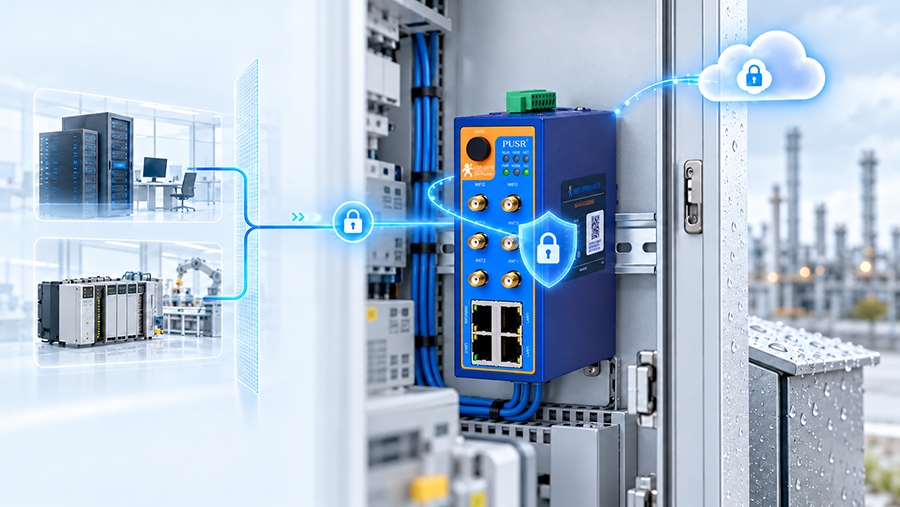
A router at the IT/OT boundary is part of the security design, not an accessory to it. Three reference points are used when specifying one:
The IEC 62443 series covers security for industrial automation and control systems across their lifecycle and takes a risk-based approach: identify what is most valuable, identify the vulnerabilities, then apply defence in depth. Availability takes precedence over confidentiality in these environments, which is why unauthenticated remote access and unsegmented flat networks are treated as design faults. NIST Special Publication 800-82 Revision 3,Guide to Operational Technology (OT) Security, is the corresponding US reference and covers zone and conduit segmentation, remote access, and the operational constraints that make IT security controls insufficient on their own.
In the European Union, EN 18031-1 sets common security requirements for internet-connected radio equipment under the Radio Equipment Directive 2014/53/EU, following Commission Delegated Regulation (EU) 2022/30. Among its requirements is that equipment does not rely on a single default password. Any cellular router placed on the EU market falls in scope.
The IP code in IEC 60529 classifies enclosure protection with two digits — the first for solid objects (0–6), the second for liquids (0–9). An IP30 rating, as carried by the models above, means protection against solid objects of 2.5 mm and larger, with no liquid protection rating. For a cabinet-mounted device this is normally sufficient; for washdown or outdoor exposure, a higher second digit and a suitable enclosure are required.
Practical control set for a deployment: change default credentials, restrict management access to the VPN tunnel, keep firewall rules deny-by-default with explicit allows, log and forward events, and keep firmware current.
Pumping stations, pipeline monitoring points, and environmental monitoring stations where no wired line exists and a site visit is expensive.
② Retail and unattended terminals.Kiosks, vending machines, and POS terminals that need a payment-secure, always-on link in a compact enclosure.
③ Serial equipment retrofit.PLCs, meters, and controllers with only RS232 or RS485, connected by transparent transmission over cellular rather than replaced.
④ Video backhaul.Mobile or temporary sites where 5G throughput substitutes for a fixed line.
⑤ Branch and backup connectivity.A wired WAN as primary with cellular failover, so a fiber cut does not take a site offline.
What is the difference between an industrial router and a regular router?
An industrial router is built to maintain a WAN link in unattended, electrically noisy, and temperature-extreme environments. It adds cellular connectivity with dual-SIM backup, a wide DC power input with reverse-polarity protection, DIN-rail or wall mounting, a rated metal enclosure, a watchdog for automatic recovery, and serial interfaces for legacy equipment. A regular router assumes a stable wired WAN and a climate-controlled room.
Do industrial routers need a SIM card?
A cellular industrial router needs a SIM card for the cellular link — typically a mini-SIM (2FF), often two for dual-SIM backup. Routers with a wired WAN port can also operate without cellular, using the wired connection as primary.
Can an industrial cellular router replace a fiber or DSL line?
It can serve as the primary link where no fixed line exists, and as a failover path where one does. Whether it replaces a fixed line depends on throughput demand and data cost: sustained high-bandwidth workloads still favor fiber, with cellular standing by.
What VPN protocols do industrial routers support?
Common support covers IPsec, OpenVPN, L2TP, PPTP, GRE, and on some models VXLAN. PUSR models support PPTP, L2TP, GRE, IPsec, and OpenVPN, and can operate as an OpenVPN client to multiple servers or as an OpenVPN server.
How does WAN failover work on an industrial router?
The router monitors the health of the active WAN path. When that path degrades or fails, it promotes a configured backup — second SIM, wired WAN, or Wi-Fi WAN — and restores the primary when it recovers. The switch is automatic and requires no on-site intervention.
What does IP30 mean for an industrial router?
Under the IEC 60529 IP code, the first digit (3) means protection against solid objects of 2.5 mm and larger; the second digit (0) means no rated liquid protection. IP30 is appropriate for indoor cabinet mounting, not for outdoor or washdown locations.
Can an industrial router connect serial devices to the internet?
Yes, on models with a serial port. Using transparent transmission, RS232 or RS485 frames are encapsulated and carried over the cellular link to a central server, so equipment without Ethernet reaches the network without a separate protocol converter.
What temperature range can an industrial router operate in?
It varies by model. The USR-G806w is rated ?20 °C to +70 °C. The USR-G816w is rated ?35 °C to +40 °C with the adapter, and up to ?35 °C to +75 °C per PUSR testing and evaluation.