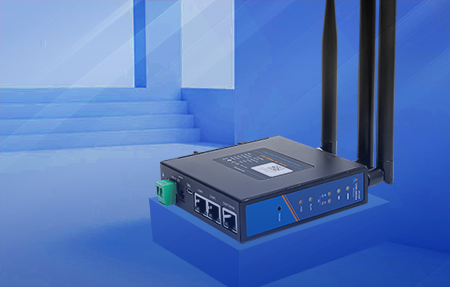
What is the difference between an Enterprise Router and a Cellular Router? What is the difference between an Industrial Router and a Cellular Router? In fact, from the literal point of view, we can understand that the enterprise router must have the functional advantages that Cellular Router does not have.
Cellular Router is mainly used to realize the home gateway function for users to access the Wan, while Enterprise Router is mainly used to realize high-performance three-layer network packet forwarding and dynamic routing protocol learning.Generally speaking, Cellular Router basically only has the gateway function of accessing the Internet, while Enterprise Router can not only act as the gateway function of accessing the Internet, but also has other more powerful functions.
Enterprise Routers and home routers exhibit significant differences in design, functionality, performance, and applicable scenarios, with the main distinctions reflected in the following aspects:
Enterprise Router:
Processor and Memory: Utilizes high-performance multi-core processors (e.g., ARM, MIPS architectures) and large-capacity memory (typically ≥1GB), supporting high concurrent connections (thousands or even tens of thousands of devices online simultaneously).
Network Interfaces: Equipped with multiple Gigabit/10 Gigabit Ethernet ports, supporting fiber access and modular expansion (e.g., SFP/SFP+ slots), enabling connection to switches, servers, and other devices.
Wireless Performance: Supports multi-band (2.4GHz/5GHz/6GHz), multi-spatial stream (MU-MIMO), beamforming, and other technologies, offering wide coverage and stable signals.
Thermal Design: Adopts active cooling (fans) or efficient passive cooling to ensure long-term high-load operation.
Home Router:
Processor and Memory: Features single-core or low-power dual-core processors with smaller memory (typically ≤512MB), suitable for connecting a small number of devices (dozens).
Network Interfaces: Usually has 1-4 Gigabit Ethernet ports, primarily focused on wireless functionality with limited expandability.
Wireless Performance: Supports basic dual-band (2.4GHz/5GHz), with smaller coverage areas and signals prone to interference.
Thermal Design: Relies on passive cooling, potentially overheating and throttling under prolonged high loads.
Enterprise Router:
Advanced Network Functions: Supports VLAN segmentation, QoS (traffic prioritization), VPN (IPSec/SSL), load balancing, high availability (HA), etc.
Security Protection: Built-in firewalls, intrusion detection/prevention systems (IDS/IPS), content filtering, access control lists (ACLs), 802.1X authentication, etc.
Management Methods: Supports Web interfaces, CLI (command-line interface), SNMP, cloud management platforms, enabling remote monitoring and configuration.
Home Router:
Basic Functions: DHCP, NAT, wireless encryption (WPA2/WPA3), parental controls, guest networks, etc.
Security Protection: Basic firewalls and wireless encryption, with some supporting anti and malicious website blocking.
Management Methods: Primarily configured via mobile apps or simple Web interfaces, lacking in-depth management options.
Enterprise Router:
Modular Design: Supports expansion cards (e.g., wireless modules, 4G/5G modules), redundant power supplies, etc., adapting to complex network environments.
Protocol Support: Compatible with multiple routing protocols (e.g., OSPF, BGP, EIGRP), suitable for large-scale network architectures.
Device Compatibility: Seamlessly integrates with enterprise-grade devices such as switches, firewalls, and APs.
Home Router:
Closed Design: Hardware and software are typically closed, with limited expandability.
Protocol Support: Only supports basic routing protocols (e.g., RIP), suitable for small networks.
Device Compatibility: Primarily compatible with consumer-grade devices (e.g., smartphones, computers, smart home devices).
Enterprise Router:
MTBF (Mean Time Between Failures): Typically ≥100,000 hours, supporting 7×24-hour operation.
Redundancy Design: Supports power redundancy and link redundancy to ensure high network availability.
Firmware Updates: Regularly releases security patches and feature updates to fix vulnerabilities and optimize performance.
Home Router:
MTBF: Typically ≤50,000 hours, potentially unstable under prolonged operation.
Redundancy Design: Lacks redundancy functions, with a higher risk of single-point failures.
Firmware Updates: Updates are less frequent, with some manufacturers discontinuing support for older models.
Enterprise Router:
Procurement Cost: Higher prices (ranging from several thousand to several hundred thousand yuan), but lower long-term TCO (Total Cost of Ownership).
Maintenance Cost: Requires professional IT team management, with higher support service (e.g., SLA) fees.
Home Router:
Procurement Cost: Low prices (ranging from tens to hundreds of yuan), suitable for individual users.
Maintenance Cost: Managed by users themselves, without the need for professional support.
Enterprise Router:
Suitable for medium to large enterprises, schools, hospitals, government agencies, etc., requiring high concurrent connections and high-security network environments.
Supports complex scenarios such as branch interconnectivity, remote work, and cloud computing access.
Home Router:
Suitable for simple network environments such as homes and small offices (SOHO).
Meets daily needs such as internet access, video entertainment, and smart home control.
| Dimension | Enterprise Router | Home Router |
| Performance | High concurrency, multiple interfaces, modular expansion | Low concurrency, basic interfaces, closed design |
| Functionality | Advanced network management, security protection, VPN, etc. | Basic routing, wireless encryption, parental controls |
| Expandability | Supports modular expansion, compatible with enterprise devices | Limited expandability, compatible with consumer-grade devices |
| Reliability | 7×24-hour operation, redundancy design | Potentially unstable under prolonged operation |
| Cost | High procurement and maintenance costs | Low procurement cost, simple maintenance |
| Applicable Scenarios | Medium to large enterprises, complex network environments | Homes, small offices |
Selection Advice:
Cellular Router is characterized by low density, low signal strength, small coverage, limited forwarding performance and limited number of carriers. If it is used in public places like enterprises, there will be serious worries about its use. Enterprise Router has higher hardware parameters such as processor, cache and memory, more NAT forwarding, and supports more users accessing the Internet at the same time.According to Uxin Unlimited Test, the average Cellular Router can connect 10-15 IP users, while the Enterprise Router can connect 50-150 IP users.
Cellular Router generally supports the static routing protocol, which is preset by the network administrator according to the network configuration when the system is installed. After the network structure changes, the network administrator manually modifies the routing table. The Enterprise Router supports dynamic routing protocols that change as network operations change.The router automatically calculates the best path for data transmission according to the functions provided by the routing protocol, and obtains a dynamic routing table.
At the same time, Enterprise Router generally has multiple security services and more abundant routing protocols, such as SNMP, static router, policy router, unified management protocol, etc. Through these protocols, Enterprise Router can ensure the safe operation of the network and protect user data from being stolen.
Since Cellular Router supports few protocols, it generally does not support functions such as internal/external attack defense and prevention of intrusion by viruses, Trojans and hackers, and its security is not guaranteed. Enterprise Router has more routing protocols, such as SNMP, policy, unified management protocol, etc., which can ensure the safe operation of the network and prevent user data from being stolen.
Cellular Router is suitable for simple network environment, while enterprise network environment is complex. Enterprise routers with more powerful performance are needed to meet the needs of more WAN interfaces, higher bandwidth and load balancing, elastic flow control, connection number limitation, VPN use, etc.
Cellular Router will not be used for a long time, and routers will have a lot of time to "rest". However, when enterprises use routers, they even need routers to run 24 hours due to work needs, which puts forward higher requirements for the industrial planning of routing.
Compared with home routers, Enterprise Router is more professional and refined in planning, can support long-term use, and is more suitable for enterprise use environment.
Application Scenarios:
Industrial cellular routers are designed for extreme environments and are suitable for the following scenarios:
Core Features:
Selection Recommendations:
Application Scenarios:
Enterprise routers are suitable for medium-to-large enterprises, data centers, branch offices, and other scenarios requiring support for:
Core Features:
Selection Recommendations:
Application Scenarios:
Home routers are suitable for ordinary households and small offices (SOHO), meeting daily internet needs such as:
Core Features:
Selection Recommendations:
| Dimension | Industrial Cellular Router | Enterprise Router | Home Router |
| Application Scenarios | Factories, remote areas, traffic monitoring | Enterprises, data centers, branch offices | Homes, small offices |
| Core Requirements | Stability, environmental adaptability, protocol support | High concurrency, network segmentation, security protection | Ease of use, wireless coverage, cost-effectiveness |
| Performance Requirements | Industrial-grade processor, wide-temperature design | Multi-core processor, large memory | Single/dual-core processor, basic memory |
| Price Range | 1000-5000 yuan | 500-3000 yuan | 100-500 yuan |
Selection Logic: